
If you want to livestream your DJI drone camera to Facebook, YouTube, TikTok, or any RTMP-supported platform, you can easily do it using DJI Fly together with Live Now.
This guide will show you how to get your RTMP link from Live Now and connect it to DJI Fly in just a few minutes.
Requirements
- DJI drone supported by DJI Fly
- DJI Fly app installed
- Live Now app installed
- Stable Wi-Fi / 4G / 5G connection
- Streaming platform account ready
Step 1: Power On Your DJI Device
- Turn on your drone
- Turn on the remote controller
- Connect to DJI Fly
- Wait until you see GO FLY
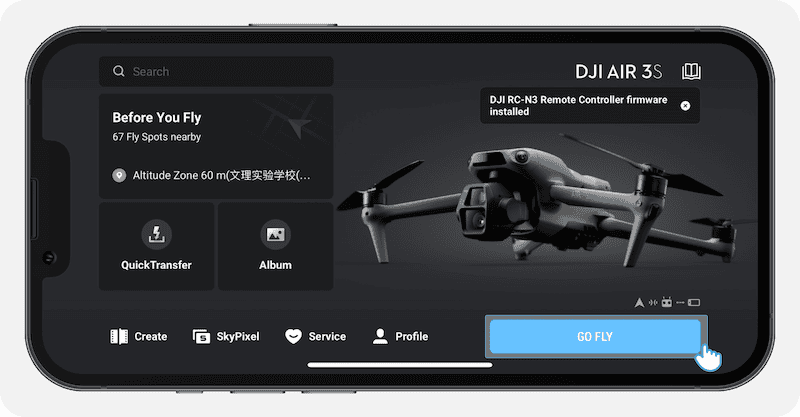
Your drone is now ready.
Step 2: Open DJI Fly Livestream Settings
Inside DJI Fly:
GO FLY → Transmission → Live Streaming Platforms → RTMP
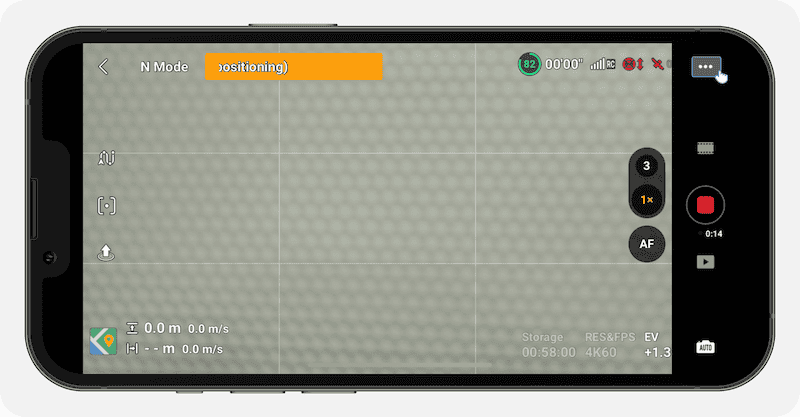
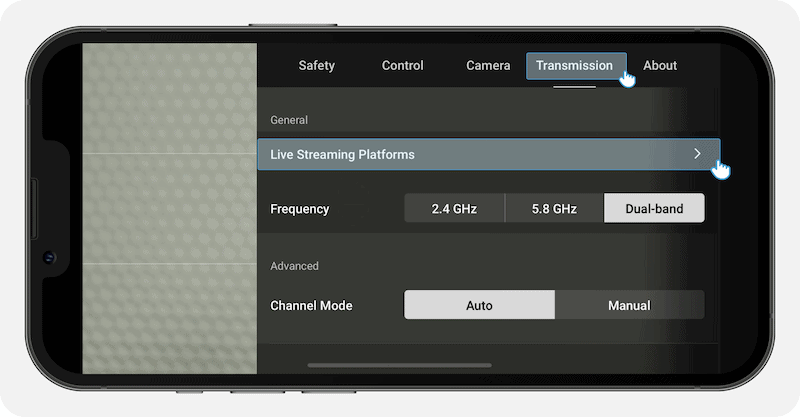
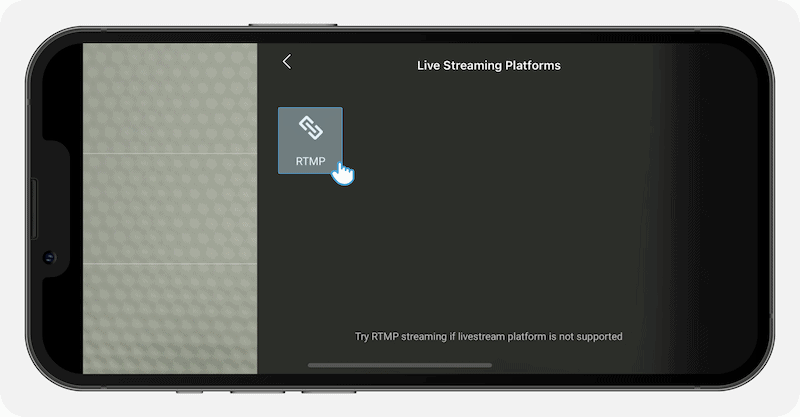
Keep this screen ready.
Step 3: Get RTMP Link from Live Now App
Now open the Live Now app.
Follow these steps:
- Select the platform you want to livestream to
- Open the Live Stream screen
- Tap Cam
- Choose RTMP Source
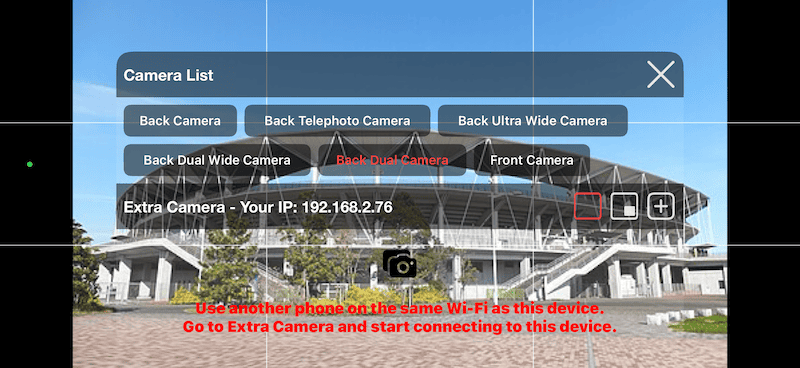
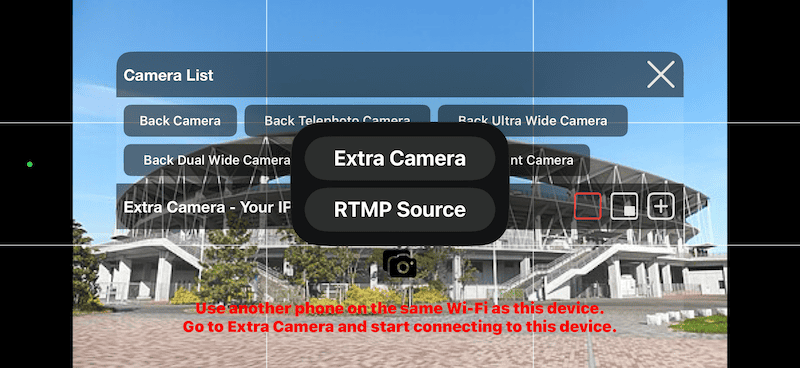
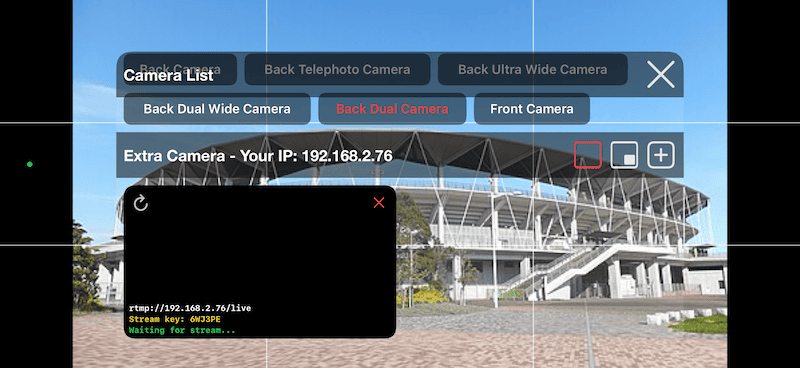
You will see:
- RTMP URL:
rtmp://[IP]/live - Stream Key: displayed on the same screen
Copy both details.
Step 4: Enter RTMP Information in DJI Fly
Return to DJI Fly and enter:
- Server URL:
rtmp://[IP]/live - Stream Key: copied from Live Now
Then tap Start.
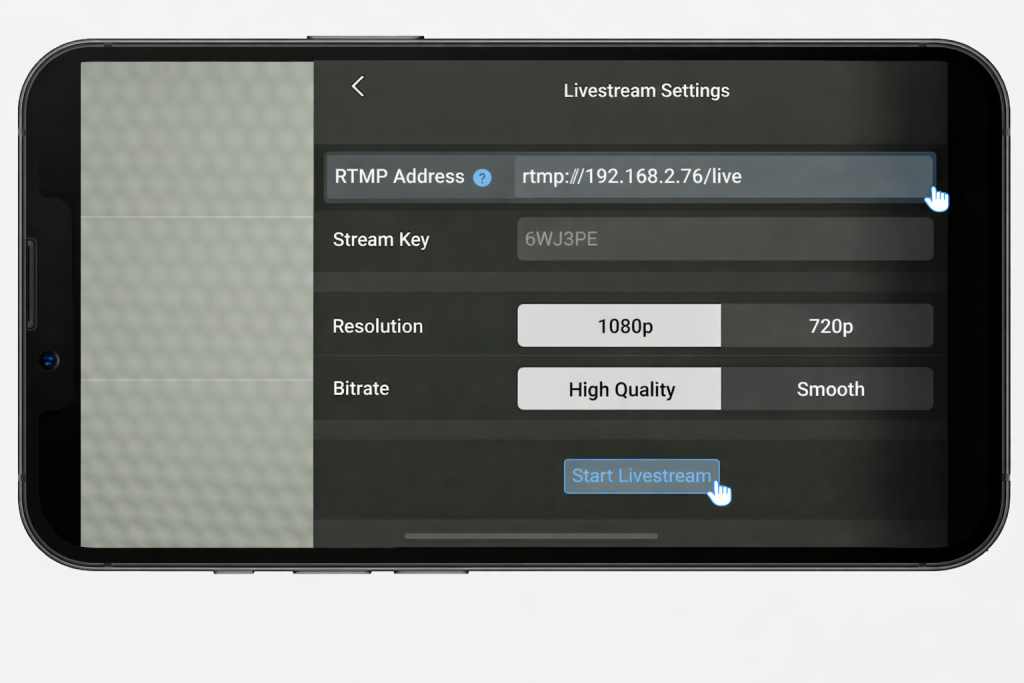
DJI Fly will begin streaming through Live Now.
Step 5: Go Live
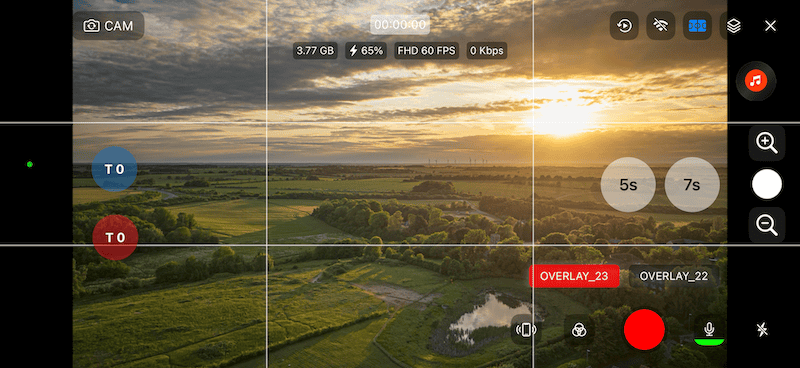
- Preview appears in Live Now
- Stream starts on your selected platform
- You can manage title, overlays, scoreboard, and more inside Live Now
Best Settings for Smooth Streaming
| Network Speed | Recommended Quality |
|---|---|
| Weak | 720p / Low Bitrate |
| Medium | 720p / Medium Bitrate |
| Strong | 1080p / High Bitrate |
Common Issues
Cannot Start Stream
- Check internet connection
- Re-enter stream key
- Restart DJI Fly
Black Screen
- Reconnect drone camera
- Restart Live Now
Lagging Stream
- Reduce resolution
- Use stronger Wi-Fi or 5G
Final Thoughts
Using DJI Fly + Live Now is one of the easiest ways to livestream DJI drone footage to any RTMP platform.
With Live Now, you can also add overlays, scoreboards, branding, and better stream control.
Start streaming in minutes and go live professionally.


