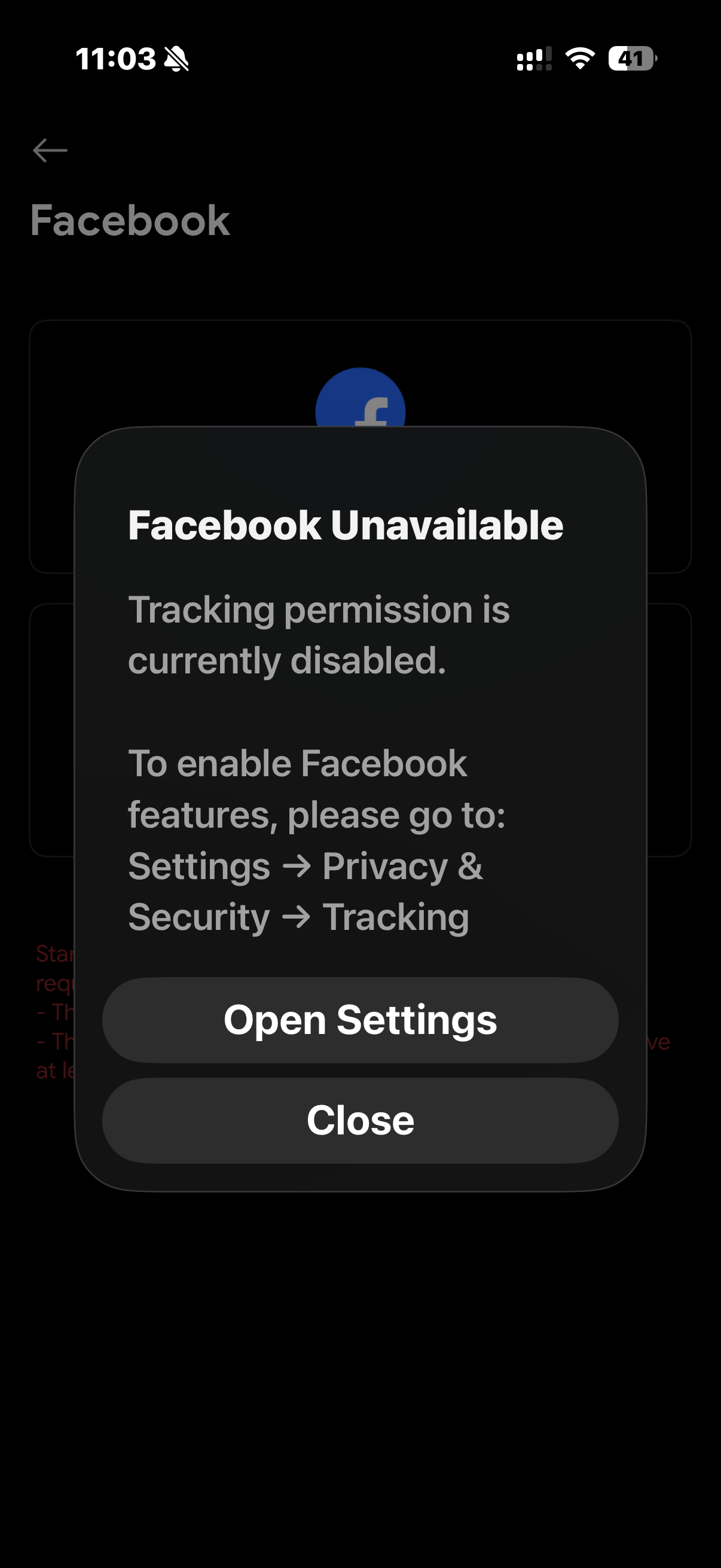
If you see the message “Facebook unavailable: Tracking permission is currently disabled”,
it means Facebook requires App Tracking permission to be enabled before its API features can work properly in the Live Now app.
This is a requirement from Facebook. Without tracking permission,
Facebook login and related features may not function correctly.
How to enable Tracking permission
Step 1 — Allow apps to request tracking
- Open Settings on your iPhone.
- Go to Privacy & Security → Tracking.
- Turn ON Allow Apps to Request to Track.

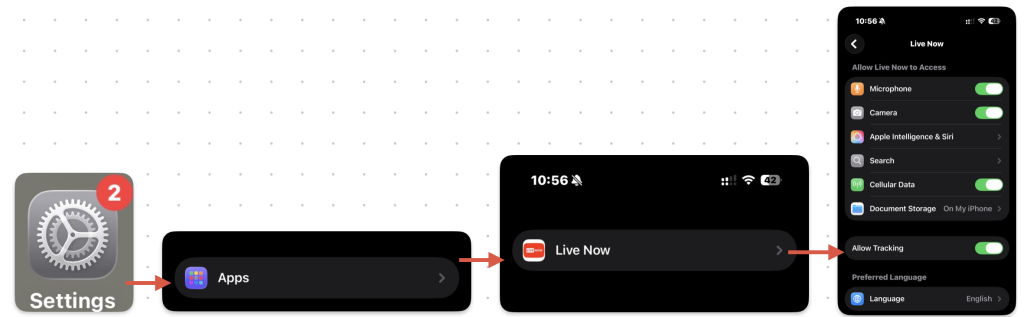
Step 2 — Enable tracking for Live Now
- Open Settings.
- Scroll down and select Live Now.
- Turn ON Allow Tracking.
Why tracking permission is required
Facebook requires tracking permission so the app can obtain a
device identifier used to verify and authenticate Facebook services.
Important:
This tracking permission is used only for identification purposes.
The Live Now app does not collect or store your personal data
such as messages, photos, contacts, or private content.
- Used for: Facebook API authentication and identification
- Not used for: collecting personal or private user data
Result
After enabling tracking permission, Facebook features in the Live Now app
should work normally.
